Use case
Privacy compliance for your website, region by region
Velo reads each visitor’s country and applies the consent default its law expects: opt in across the EEA, the UK, Switzerland, Brazil, Peru, Colombia and Argentina, and opt out elsewhere unless you choose a stricter setting.
Examples on this page use sample data. This is not legal advice.
Your website answers to several privacy laws at once
A visitor in Berlin has to say yes before analytics and advertising cookies are set. A visitor in California has the right to say no, and a browser signal can say it for them. If the banner behaves the same for everyone, it’s either too loose in one place or throws data away in another.
What goes wrong
- Tags fire before a European visitor has chosen.
- Reject is harder to find than Accept.
- Nobody can show what a visitor agreed to, or when.
What Velo does
- Applies opt in or opt out from the visitor’s country, with opt in locked where the law requires it.
- Shows Reject and Accept all side by side on the first layer.
- Honours Global Privacy Control in opt out regions by switching advertising off.
- Keeps a record of every choice with a receipt ID.
Region by region
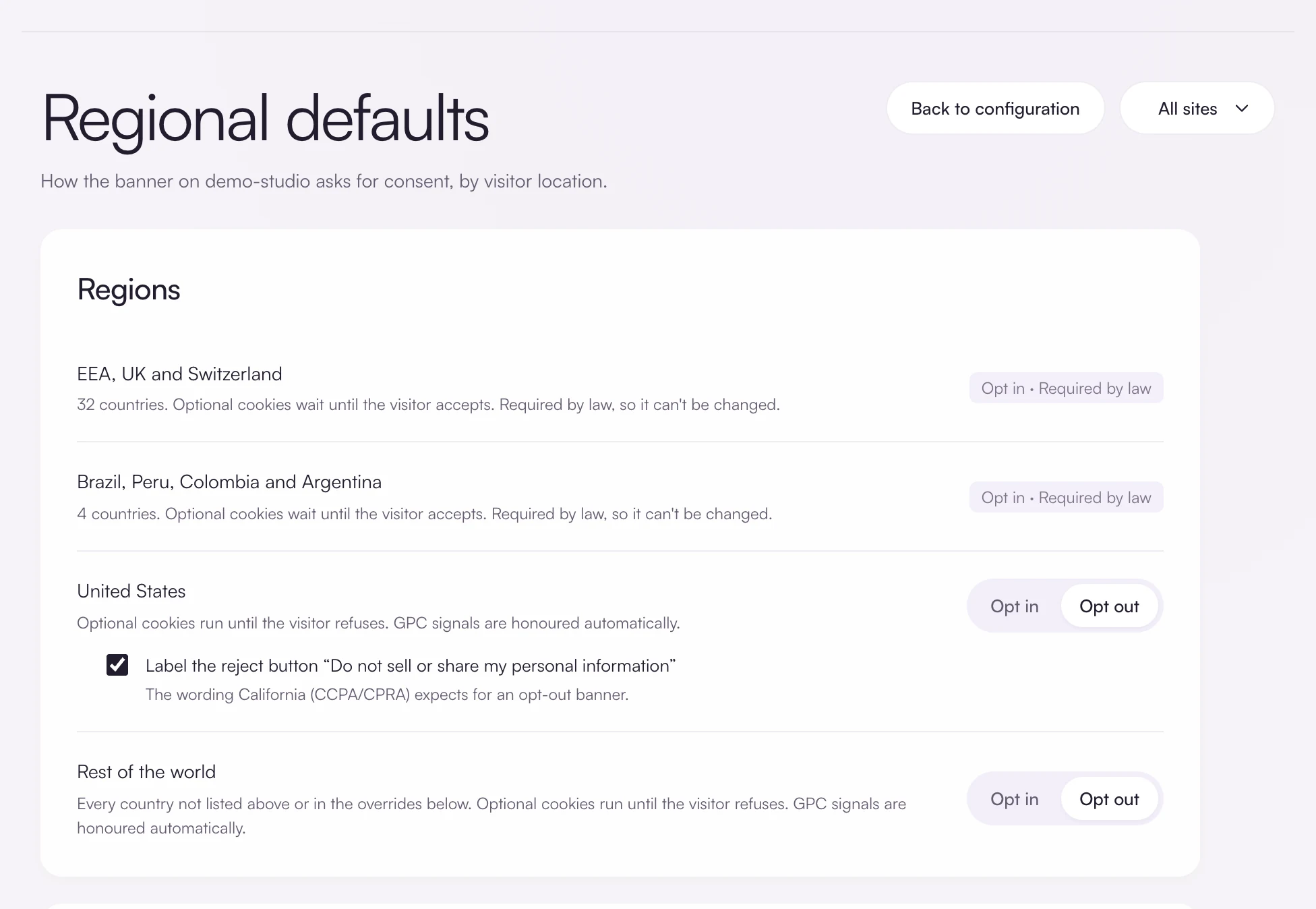
The Regions screen has four rows, and this is what each one means for a visitor.
| Region | Default | Can you change it | Global Privacy Control |
|---|---|---|---|
| EEA, UK and Switzerland | Opt in | No. It’s locked because the law requires it. | Recorded on the decision. |
| Brazil, Peru, Colombia and Argentina | Opt in | No. It’s locked because the law requires it. | Recorded on the decision. |
| United States | Opt out | Yes. Switch it to opt in, or label Reject as Do not sell or share my personal information. | Advertising is switched off and the refusal is recorded. |
| Rest of the world | Opt out | Yes. Switch it to opt in, or set stricter rules for up to 60 countries. | Advertising is switched off and the refusal is recorded. |
Four visitors on the same afternoon
A software company’s site runs Google Analytics 4, Google Ads and the Meta Pixel. Here is what the same page does for four visitors in four places.
Illustrative example with sample data, not a customer story.
What each visitor sees
In Berlin and São Paulo nothing optional runs until the visitor chooses. In San Francisco the tags may run, but this visitor’s browser sends Global Privacy Control, so Velo switches advertising off and records it. In Tokyo the default is opt out unless you set Japan to opt in.
What Velo keeps for each one
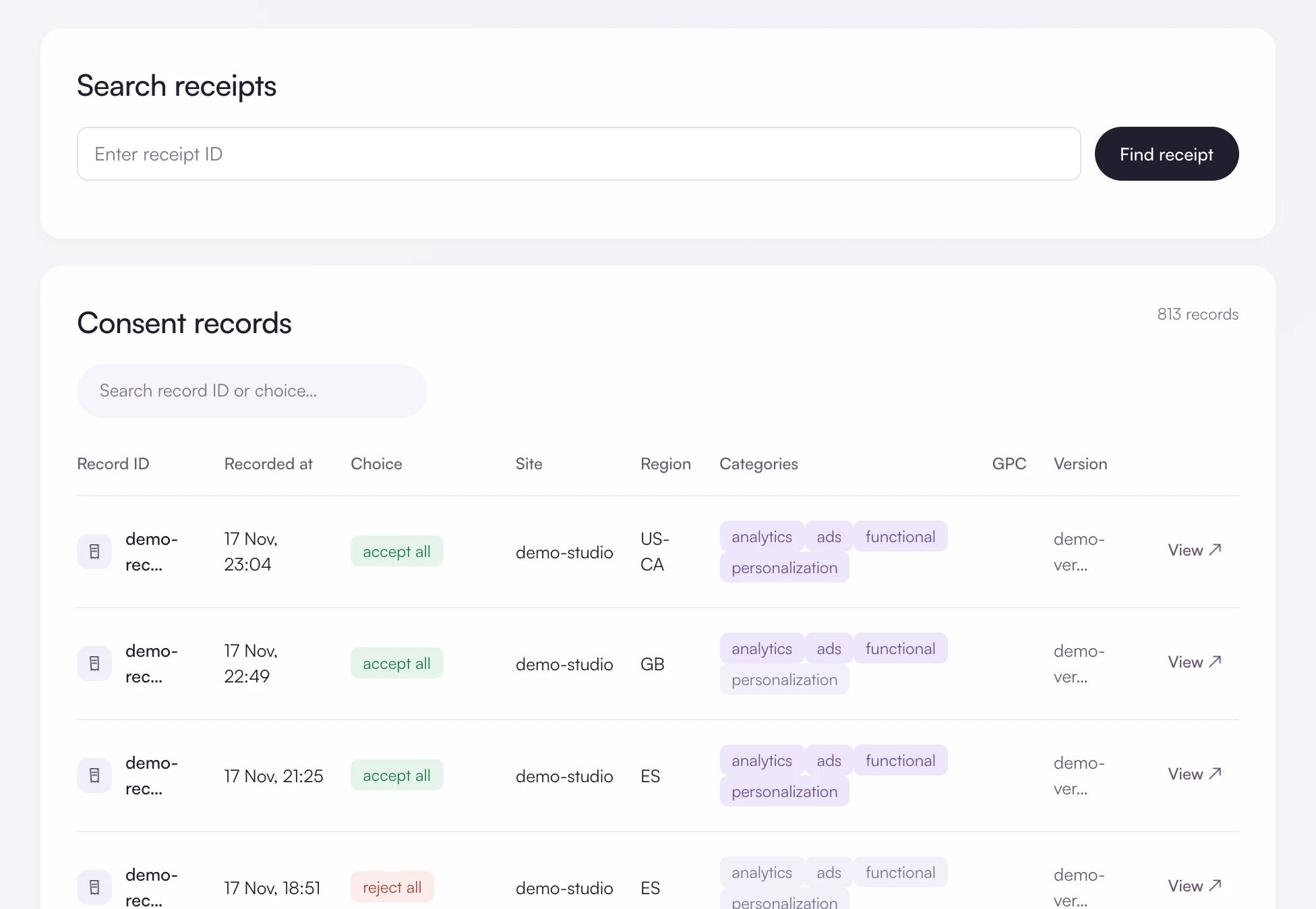
Each decision is stored with a receipt ID, the time, the country, the categories allowed, whether the browser sent Global Privacy Control and the banner version shown. The visitor’s IP address is not stored.
Where the law requires opt in, Velo locks it. Everywhere else the choice is yours, and every decision is recorded either way.
Offer a real choice
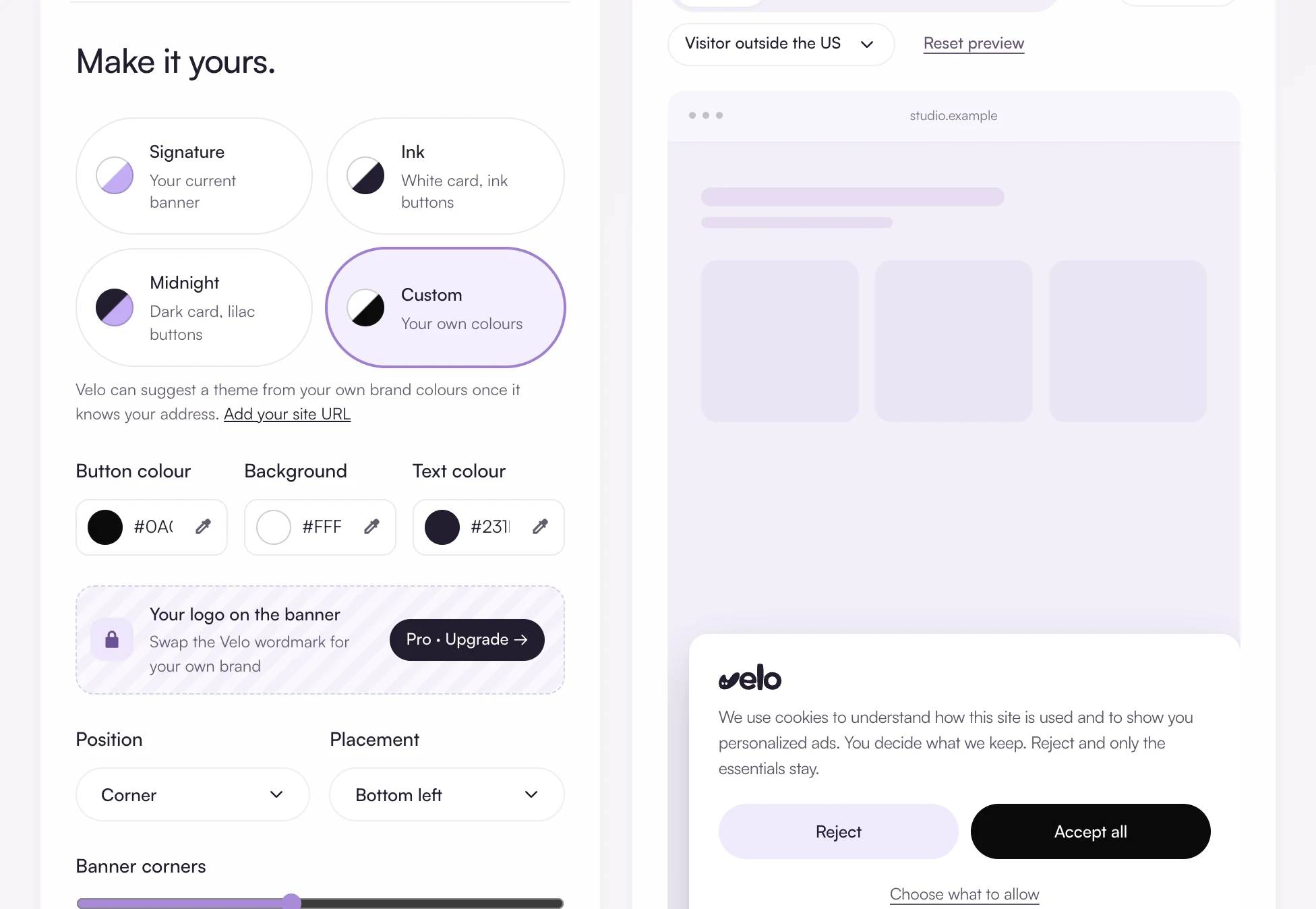
The banner editor sets the wording, colours and languages. Reject and Accept all sit side by side, and visitors can choose category by category. A privacy button stays on the page so they can change their mind later.
Show what was agreed
Consent records lists every decision. Search by receipt ID when someone asks what they agreed to, or export the latest 2,000 decisions as CSV.
What Velo covers, and what it does not
The limits, stated plainly, so you can decide before you install anything.
Questions and answers
Does Velo make my website compliant?
No tool can promise that. Velo gives you a banner with a real choice, regional defaults, consent signals for your tags and a record of each decision. Whether your whole setup meets the law depends on what your site does with data, which is for you and your advisers to assess.
Which countries are opt in by default?
The 27 EU member states, Iceland, Liechtenstein, Norway, the United Kingdom, Switzerland, Brazil, Peru, Colombia and Argentina. You cannot switch these to opt out. Every other country starts as opt out and can be made stricter.
Can I set different rules for each US state?
No. The United States is one setting in Velo: opt out by default, or opt in if you prefer. While it is set to opt out, Global Privacy Control is honoured for every visitor there.
Free for one site
Banner, scan and consent records for one site, free. Pro from €7 a month, plus VAT, for unlimited sites.