Use case
Switch consent platform without a gap
Move from Cookiebot, CookieYes, OneTrust, Usercentrics or another consent platform in one planned change. You scan what you load and set your categories, then install Velo and remove the old banner in the same release.
Examples on this page use sample data. This is not legal advice.
Switch over in five steps and one release
Follow this order and the page always has a consent state. The old banner comes out in the same release that puts Velo in, so visitors never see two banners, or none.
- Before
Export the old records
Download the consent records from the platform you are leaving. Velo cannot import them, and you may need them as proof later.
- Before
Scan and review categories
Run the Velo scan and check the category of each cookie it lists.
- In a workspace
Add the Velo CMP tag
Set it up in a Tag Manager workspace, on Consent Initialization, and preview it.
- Same release
Remove the old banner
Take out the old platform’s tag or plugin and publish both changes together.
- After
Check in debug mode
Open the site with ?velo_debug=1 in the address and confirm the default lands before your Google tags.
What carries over, and what does not
Most of a switch is knowing which parts start again from scratch.
Does not carry over
- Choices saved by the old platform, so visitors choose once more.
- The old platform’s consent records, so export them before you leave.
- Its cookie list and categories, which the Velo scan rebuilds.
- Triggers that listened for its events.
Stays as it is
- Your Google tags, which read Consent Mode from whichever platform sets it.
- Your Tag Manager container and its other tags.
- Your pages, since Velo is one snippet or one tag.
A WordPress site leaves its old plugin
A company blog on WordPress has run another consent plugin for three years. Its tags are in Google Tag Manager.
Illustrative example with sample data, not a customer story.
Find what listened to the old platform
Google tags read Consent Mode, so they follow Velo as soon as it sets the default. Tags that fired on the old platform’s own event need a new trigger: Velo pushes velo_consent_update to the data layer with the categories allowed.
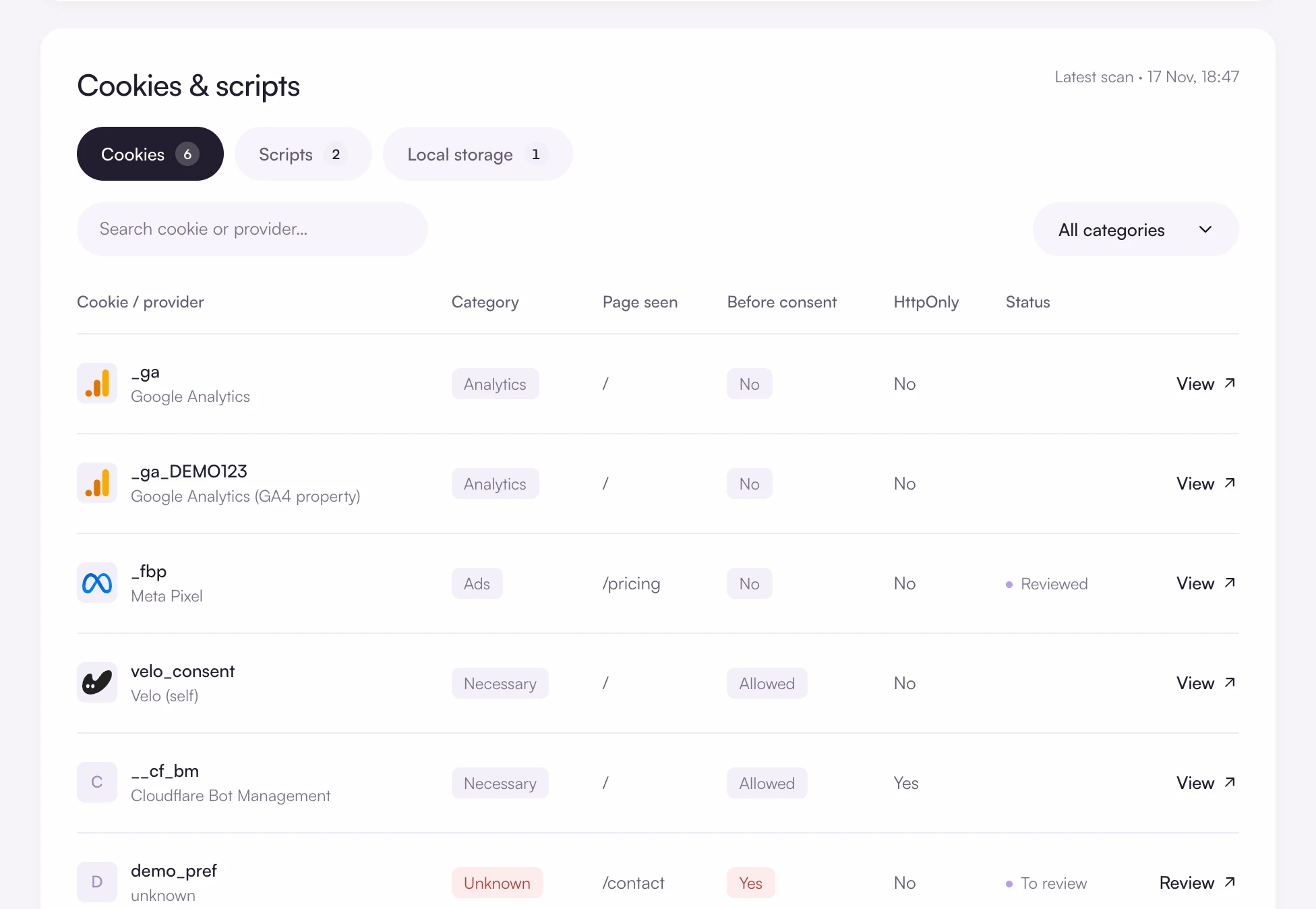
The scan rebuilds the cookie list
Known cookies arrive with a category. Unknown ones can come with a suggested category, and nothing applies until you accept it.
Works with the platforms you build on












Scan first
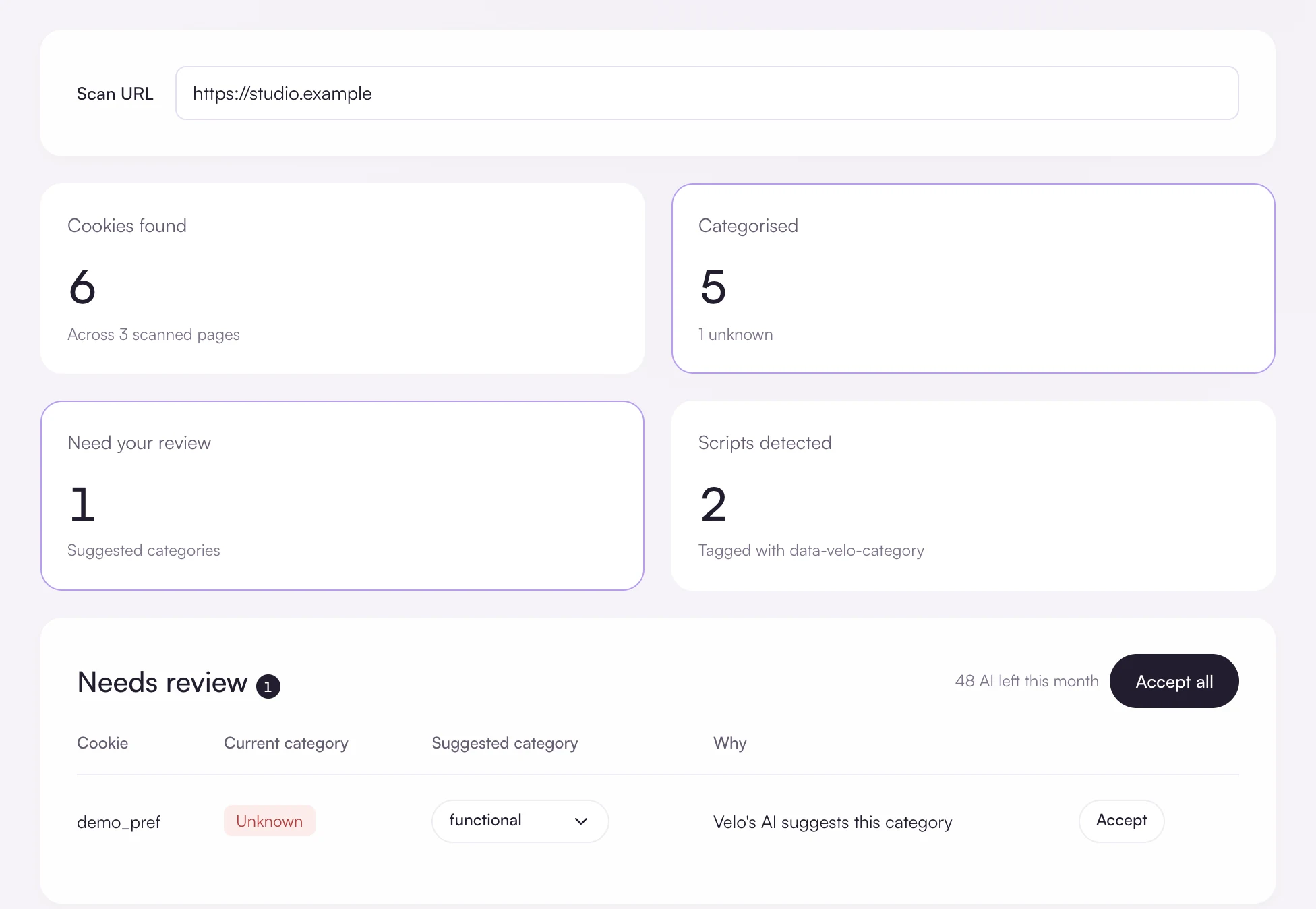
The free scan reads your homepage and public Tag Manager container and names the consent platform it finds. Once Velo is installed, the console scanner visits up to three pages before and after accepting, and lists cookies, marked scripts and local storage keys.
Install, then verify
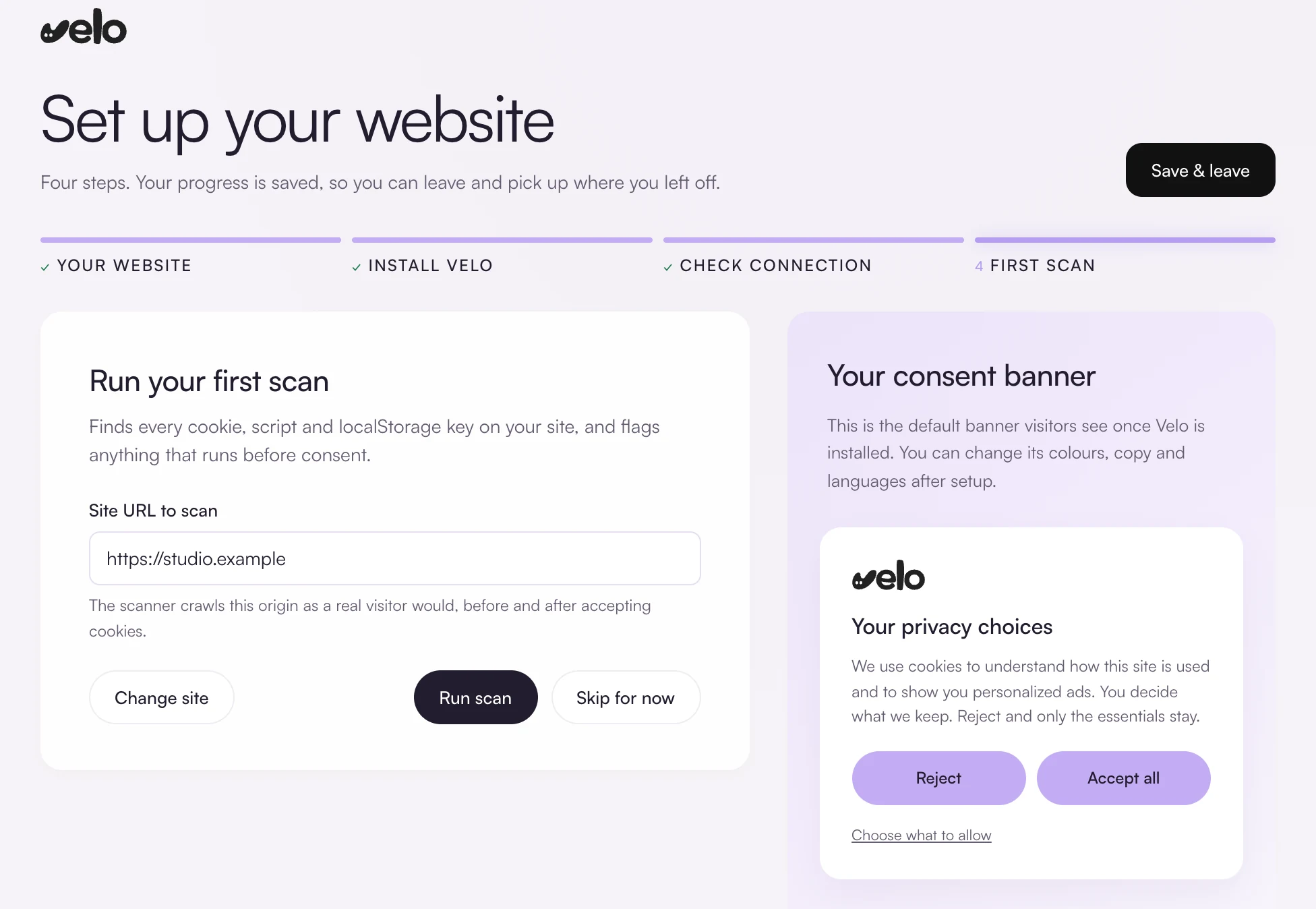
Follow the guide for your platform. The set up screen walks through four steps and shows whether Velo is reporting from your site.
What Velo covers, and what it does not
The limits, stated plainly, so you can decide before you install anything.
Questions and answers
Can I import my old consent records?
No. Keep an export from your previous platform. Velo’s records begin with the first decision made on the Velo banner.
Will visitors be asked again?
Yes, once. A choice stored by another platform is not read by Velo, so the first visit after the switch shows the Velo banner.
How long does a switch take?
It depends on how many tags listen to the old platform. A site whose tags are all Google tags in Tag Manager needs little more than the new template and a publish. Each tag wired to the old platform’s events adds a trigger to change and test.
Free for one site
Banner, scan and consent records for one site, free. Pro from €7 a month, plus VAT, for unlimited sites.