Framer cookie banner
A cookie banner made for Framer sites
Manage consent on Framer with Velo and keep your banner, consent records, scan findings and AI cookie categorisation in one workspace.
Free for one site and 1,500 monthly sessions. Pro from €7 a month, plus VAT, for unlimited sites.
Works with the platforms you build on












What Velo does on Framer
Made for Framer
- It only touches Site settings → Custom code.
- It’s a single script of at most 40KB that doesn’t block the page from rendering, and there’s no app to install or plugin to keep updated.
In every plan, from €0
- Consent Mode v2 advanced, with defaults set before your other tags run
- Regional defaults by country, and Global Privacy Control honoured
- A receipt for every choice, kept in the consent log
- Reject as easy as accept, and a floating preferences button
- Cookie and tracker scan, with choices by category
Rules, records and signals in one place
Paste the snippet into Site settings → Custom code at the start of the head tag, then publish. That one paste covers the whole site. If you run Google Tag Manager, the Velo CMP template does the same job from your container.
Region rules and records
Set how the banner behaves depending on where the visitor is: opt in consent for the EU and UK, opt out where US state laws call for it. Accept and Reject carry equal weight, visitors choose per category, and every choice is saved to your consent records.
Google Consent Mode v2
Velo sets the Consent Mode defaults before your other tags run, as long as the snippet sits above them or the tag fires on Consent Initialization. Google tags then adjust to each visitor’s choice. Google may model some conversions when its eligibility and traffic conditions are met, but modelling isn’t guaranteed.

There are three steps, and most installs take a few minutes if you can already publish changes to the site.
Everything a consent setup needs
The same banner, records and scans on every plan. Pro adds unlimited sites, unlimited scans and your own logo.
Your banner asks in the visitor’s language and follows the defaults you set for their region.
Every choice is recorded, and Consent Mode v2 passes it on to your Google tags.
How it goes live on Framer
Using a different platform? See every supported platform.
Step by step install guide for FramerPaste the snippet
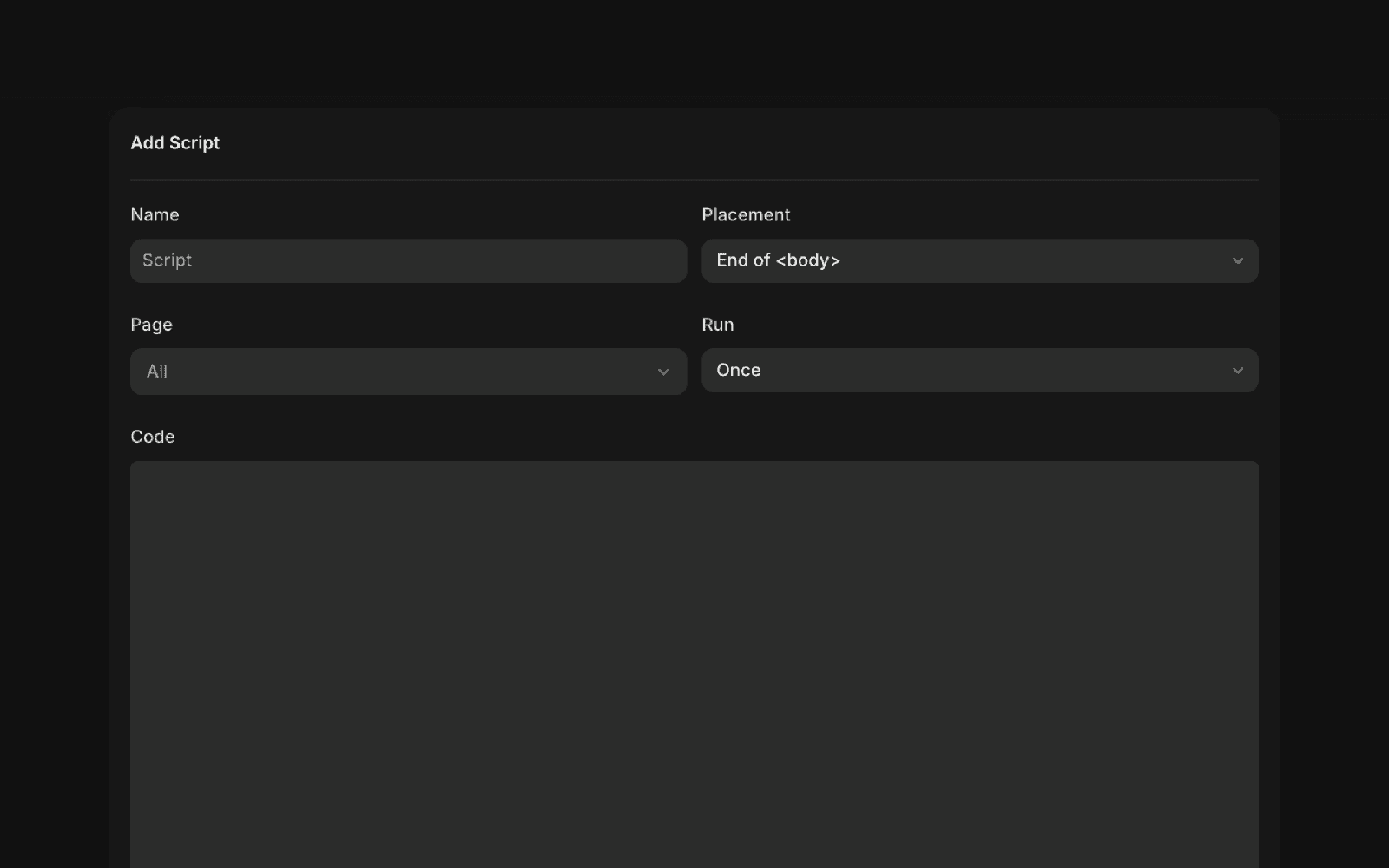
In Framer, open Site settings → Custom code, add the Velo snippet to the start of the head tag, and publish, or add the Velo template in Google Tag Manager instead.
Denied by default, then the banner shows
Velo sets the Google Consent Mode v2 defaults before your other tags run, with everything denied wherever your region settings ask for opt in, and then shows the banner. Google tags adjust to the visitor’s choice, and tags you gate on Velo’s consent event wait until it’s made. Every choice is saved to your consent records.
Velo’s banner with its default look. Your banner’s copy, colours and region settings may differ.Verify, then publish
Check that the consent signals change in Tag Assistant when you accept and when you reject, then publish. Run the same check again whenever you change your tags or banner settings.
From the journal
Notes on cookie banners, Consent Mode and the data that goes missing between them.
Do Canadian websites need Google Consent Mode v2?
Google Consent Mode v2 in Velo: what is new
How to set up Google Consent Mode v2 on Shopify
Common questions about Velo on Framer
Will the banner look right on a designed site?
Yes. The banner renders in Shadow DOM with its own theme, so your styles can’t distort it and its styles don’t leak into yours. Pick light or dark to suit the site.
Does Velo work on Framer's plans?
Framer only allows custom code on a paid site plan. On any paid plan, you paste the snippet once in Site settings → Custom code and publish.
Do I need Google Tag Manager?
No. The snippet works on its own through Custom code. If you already run GTM, you can import the Velo CMP template instead and keep your measurement in one place.
Does Consent Mode v2 matter on a portfolio or product site?
If Google Ads or GA4 run on the site and EEA visitors reach it, Google expects consent signals, and Consent Mode v2 is how your tags receive them. The tags then adjust to each choice. Google may model some conversions from declined visitors when its eligibility and traffic conditions are met. Smaller sites may not meet them.
Free for one site
Banner, scan and consent records for one site, free. Pro from €7 a month, plus VAT, for unlimited sites.